✦ FREE NOTION TEMPLATE FOR STUDENTS
Stop Studying Harder. Start Remembering More.
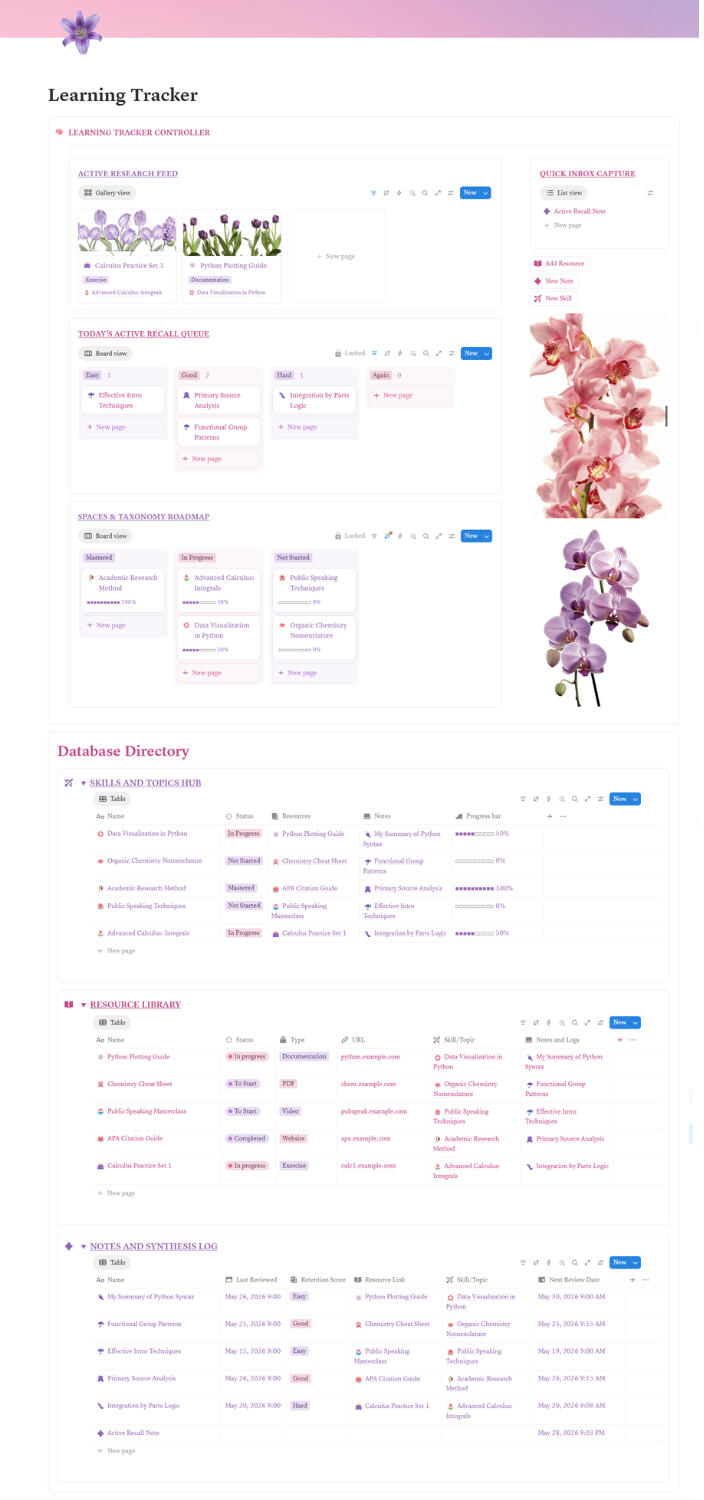
Learning Tracker turns your scattered notes, half-finished courses, and forgotten flashcards into one closed-loop system — so you always know what to study now, what to review today, and how far you've actually come.
THE PROBLEM
You're putting in the hours. But nothing is sticking.
You highlight the textbook. You watch the lecture twice. You take notes in five different apps. And two weeks later — blank. You can't recall the main idea, let alone the details.
Sound familiar?
→ Your resources live in bookmarks, tabs, and "I'll-get-to-this" folders
→ Your notes are either missing or buried where you can't find them
→ You re-read the same material over and over because reviewing feels random
→ You have no idea which topics you've actually mastered vs. just "seen"
→ Every semester starts with the same plan and ends with the same panic
The problem isn't your effort. It's that studying without a system is just expensive forgetting.
There's a better way to study — and it fits inside one Notion page.
THE SHIFT
One template. A complete learning loop.
Learning Tracker replaces the chaos with a system designed around how memory actually works — capture, connect, review, retain.
✦ Everything you study links together: resources → topics → notes
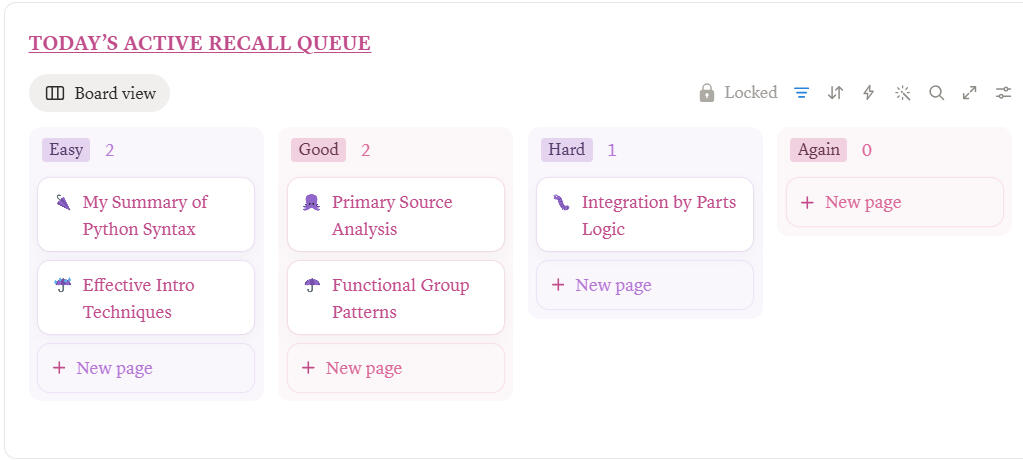
✦ A daily review queue surfaces exactly what's due for recall today
✦ Spaced repetition is built in — rate a note Easy/Good/Hard/Again and the system schedules the next review automatically
✦ A live progress bar shows how far along you are on every topic
✦ A Quick Inbox lets you capture ideas fast and organize them later
You stop managing your studying. Your system does it for you.
ACTIVE RESEARCH FEED
Only see what you're actually studying — right now.
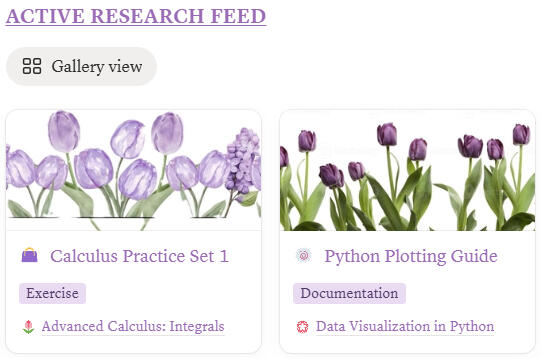
No more scrolling through a graveyard of "someday" bookmarks. Your Active Research Feed is a gallery view that surfaces only the resources currently marked "In Progress" — so your focus stays on what matters today.
Add a book, a course, an article, a video, a PDF — any medium counts. Link it to a Skill or Topic, and it feeds directly into your progress bar.
Your study list stops being a wishlist and starts being a workspace.
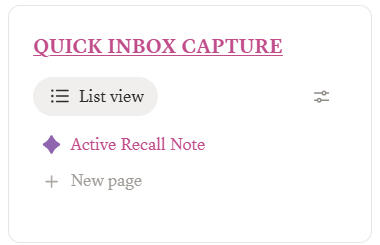
QUICK INBOX CAPTURE
Capture now. Organize later. Never lose a thought again.
The best learning systems fail when capturing is slow. If adding a note requires three clicks and four dropdowns, you'll skip it — and lose the idea.
The Quick Inbox is a triage lane: a filtered list that shows every note that hasn't been connected to a resource or topic yet. Dump ideas here instantly. Then, when you have time, link them where they belong.
Your inbox stays empty. Your system stays clean. Your thinking stays uninterrupted.
BUILT-IN SPACED REPETITION
Your brain gets a review schedule.
You just show up.
Most students re-read everything right before an exam. That's not studying — that's cramming. Learning Tracker uses spaced repetition to surface the right notes at the right time, automatically.
After reviewing a note, rate it:
→ Again — due immediately (you blanked)
→ Hard — due tomorrow
→ Good — due in 3 days
→ Easy — due in 7 days
Your dashboard then shows only what's due today — nothing more, nothing less.
No guessing. No decision fatigue. Just open Notion and review.
TOPIC PROGRESS MAP
See exactly how far you are on every subject.
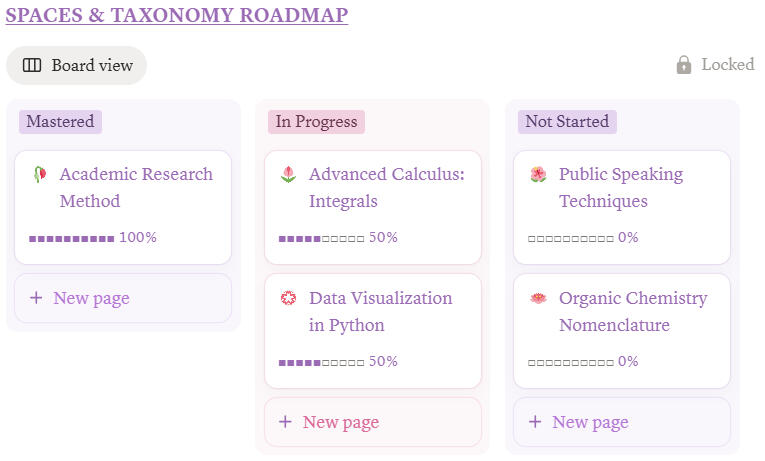
Learning is easy to start and hard to measure. The Skills & Topics Hub solves that with an auto-calculated progress bar for every subject you're studying — driven by the real statuses of linked resources.
A topic with 4 resources:
→ 2 Completed = ▓▓▓▓▓░░░░░ — halfway there
→ All Completed = ▓▓▓▓▓▓▓▓▓▓ — mastered
You didn't have to calculate anything. The system did. Move topics from Not Started → In Progress → Mastered as you go.
Your roadmap is always current, always honest.
Everything you need to study smarter is already built in.
Learning Tracker · Free Notion TemplateMade with care for students who are serious about learning.© 2026 Lux Seminare · Built on Notion